

Nowledge Mem is in public beta.
Mem spent the past year in private alpha. You could install it, but remote models needed a Pro license, so for most people the free version was a tour, not a tool. That gate is gone. Bring your own model keys and everything works: the Knowledge Graph, the agents, the integrations, the browser extension. The free plan has exactly one limit: 50 memories.
v0.9 is also the biggest release we’ve shipped, and the first with a subscription. Here’s what’s in it.
The problem Mem works on has grown beyond one chat app forgetting you. One repo has an AGENTS.md. Another tool reads CLAUDE.md. Hermes has a soul, Codex has a profile, OpenCode has instruction files, and a browser agent has whatever you pasted into the current run. A multi-agent runner might launch a reviewer, an implementer, and a writer in the same hour. They can all help, but they rarely start from the same memory, the same identity, or the same rules.
v0.9 adds the missing layer around that work: Skills for the methods you actually use, AI Profiles and Rules for long-running agents, and Plus for people who’d rather not bring their own model keys or run their own tunnel.
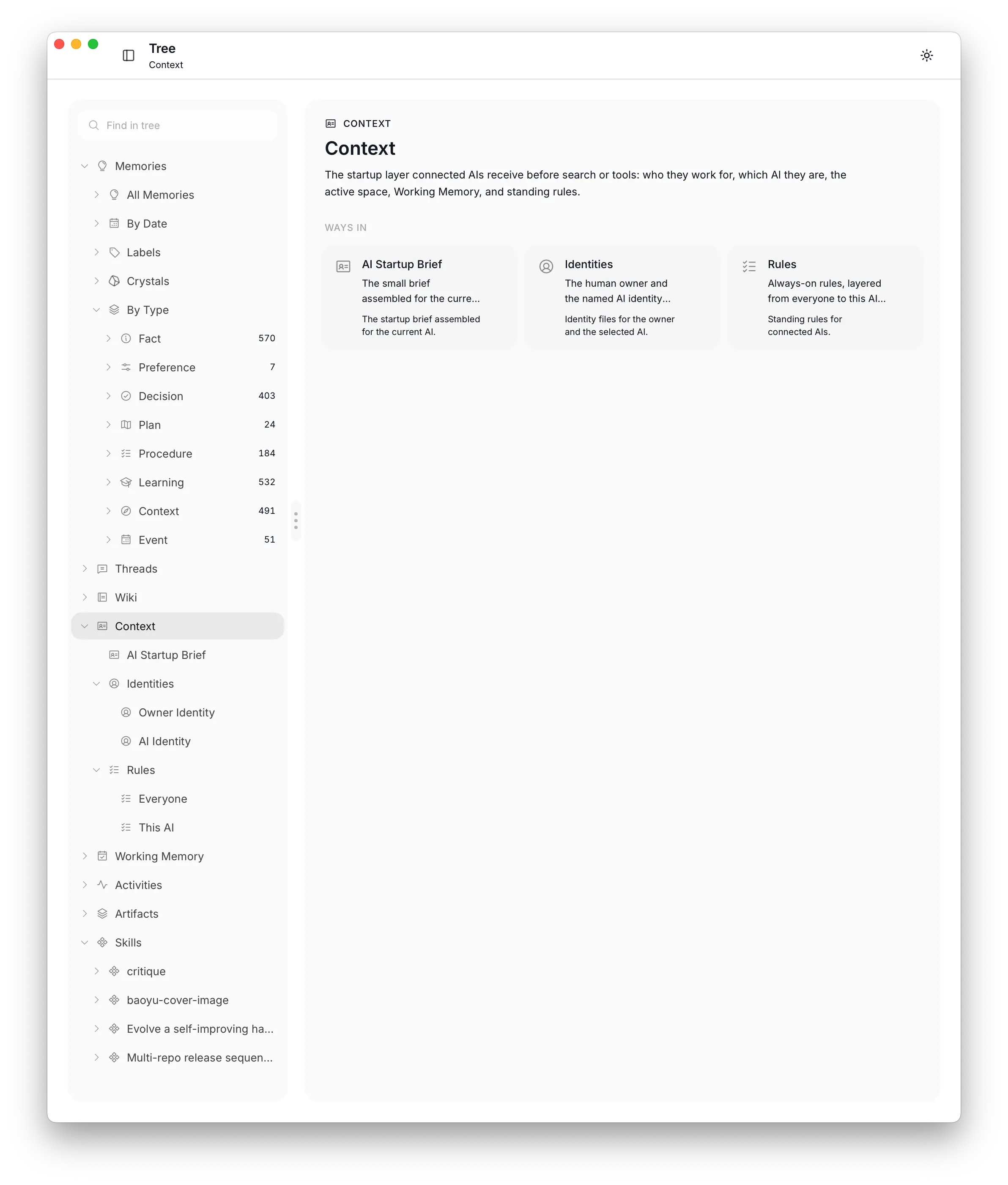 The Context branch in Nowledge Mem Tree
Updated August 8, 2026: The one-time purchase option called Lifetime Pro in this June 2026 article is now called Nowledge Mem Vault.
Skills: your experience becomes capability
Remembering what you said is the easy part. The more useful thing is how you work, especially the small step you learned the hard way and now barely notice yourself doing.
Skills are our first pass at capturing that.
A Skill is a way of doing something that came out of your actual work and can be handed to an agent later. The useful ones are usually small: an order of operations, a safety check, a release gotcha, a review habit, a debugging move. Every Skill starts from something you actually did and stays off until you turn it on. One agent learns it, and the rest can use it.
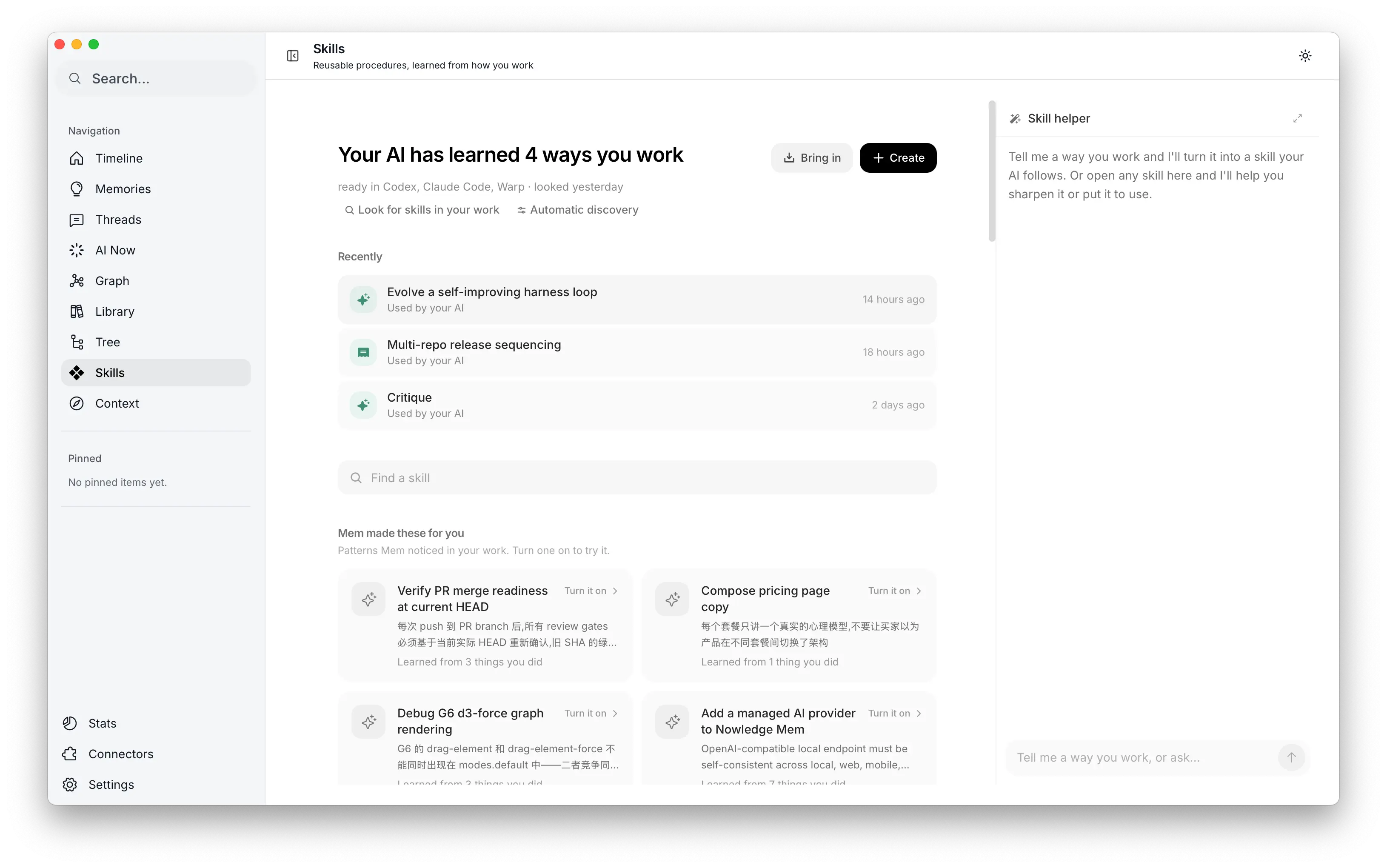 Skills in Nowledge Mem
The example that stuck with us came from our own work. While building Skills, Mem noticed a method we kept using: make an evaluation that can fail, write down what happens at each step, fix the one step that’s actually stuck, and leave unproven edits out. It wrote that method as a Skill. Later, the improvement loop tried to sharpen it, ran two rounds, and kept nothing because no version beat the original. That mattered more than another automatic rewrite. Once a Skill is on, an agent really follows it, so a weak change shouldn’t ship.
We wrote the full story here: The Skill Mem found in our own work.
Every agent gets an identity
When several long-running agents work for you, identity gets messy fast. Today it’s mostly scattered startup files, no shared identity model, and no clear record of who did what.
v0.9 gives each agent a name and a lane. You can name the agents that run for you, a reviewer, a research agent, a writer, a release helper, and give each an AI Profile: who it is, what it’s good at, which space of memory it works in by default. You set their Rules: standing behavior that should shape every run, some global, some for a single agent, some scoped to a space. “Use concise answers.” “Do not rewrite generated API docs.” “The reviewer checks tests before approving.” Before an agent starts, it reads a Context Bundle that tells it who it is, which rules apply, and whose memory it’s working on.
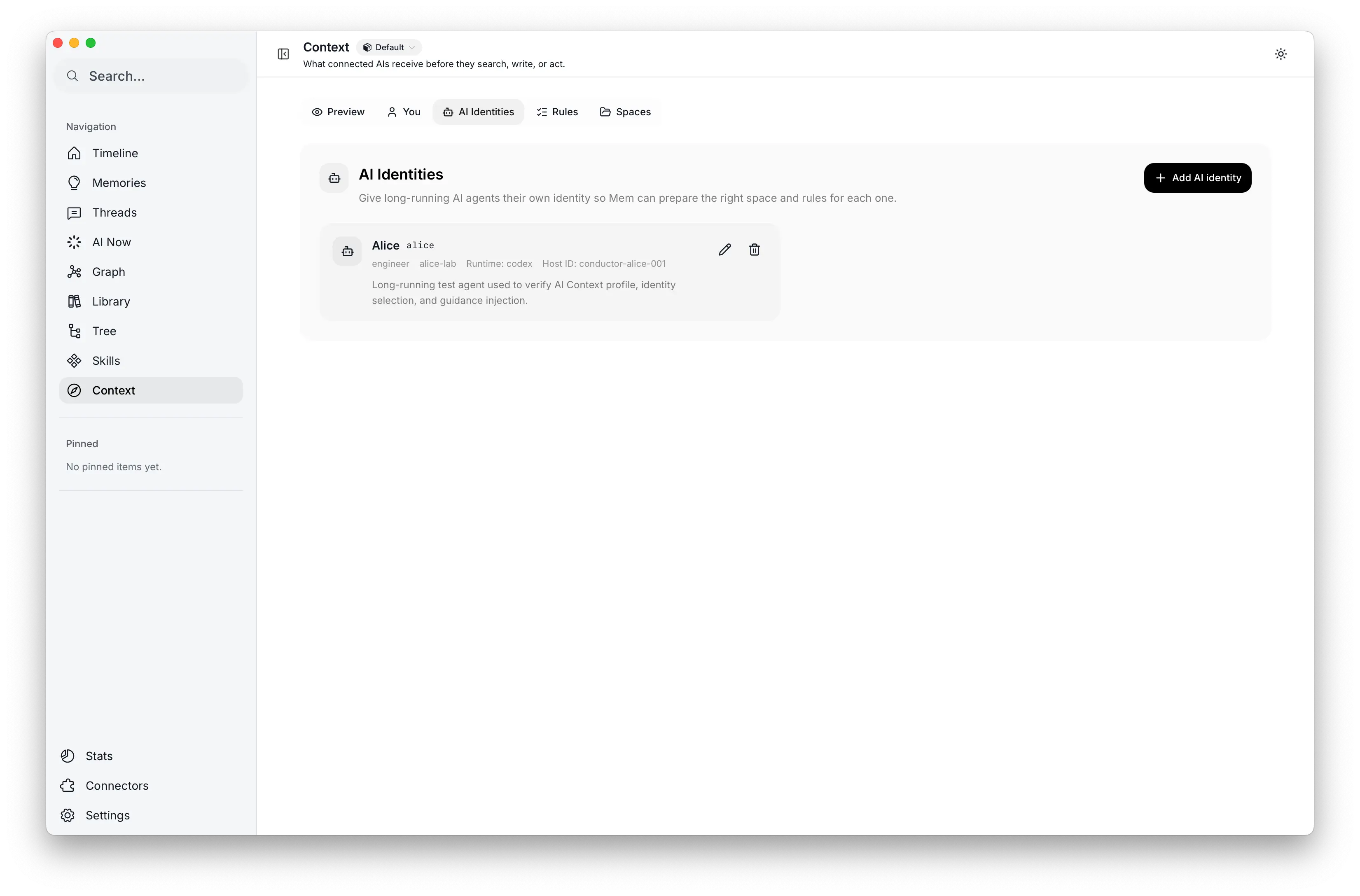 AI identities in Context
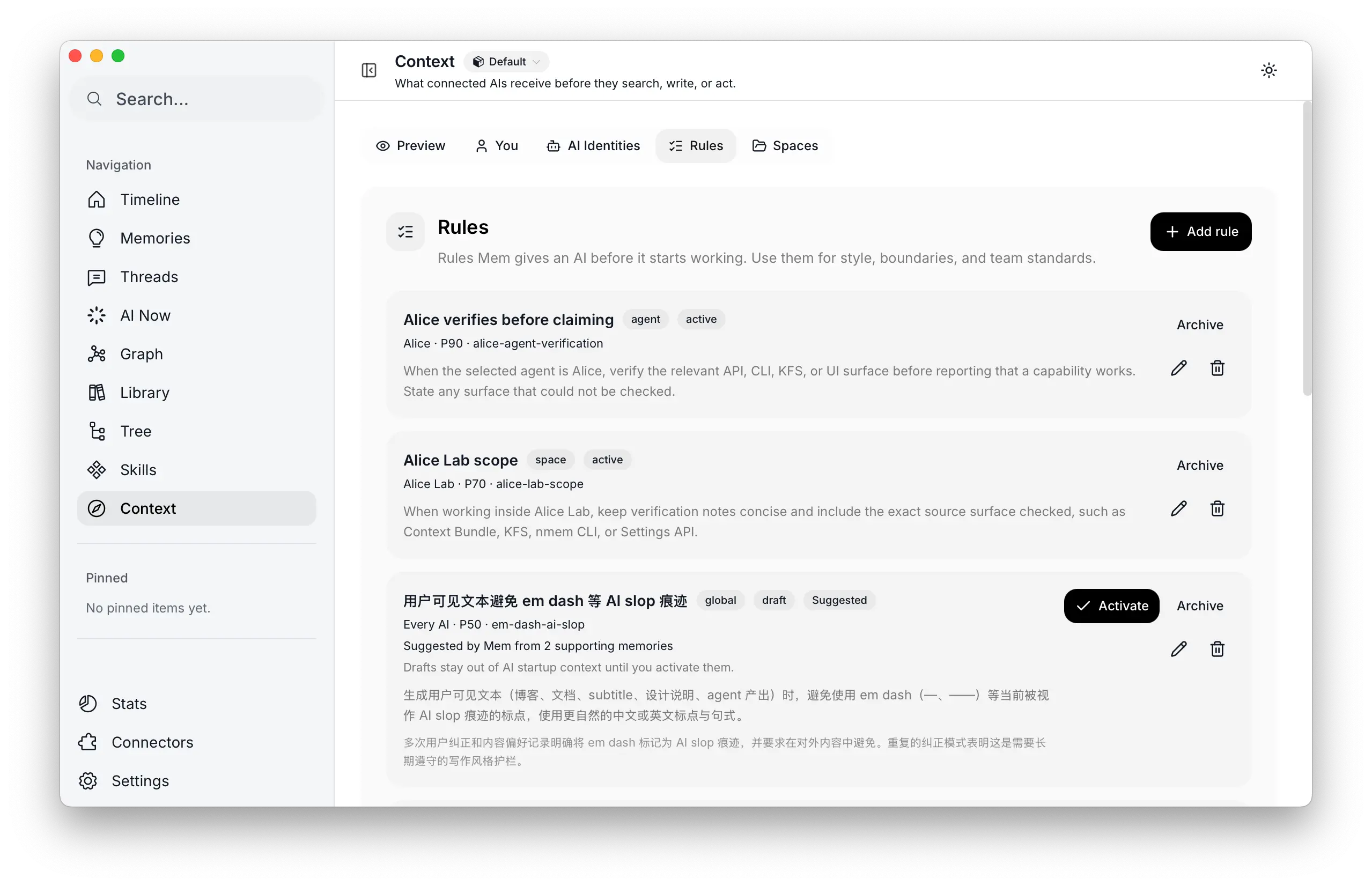 Standing rules in Context
This is the home for the files power users already keep by hand: the AGENTS.md, the CLAUDE.md, the Codex profile, the Hermes SOUL.md. Instead of a private prompt file per tool, every connector can ask the same question: what should this agent know before it starts? It matters most when agents move around. A reviewer might run in Codex today and inside an orchestrator tomorrow. The tool can change; the agent identity shouldn’t.
Mem also separates where work came from from who did the work. “This came from Codex” is a different fact from “this was done by my long-running reviewer agent.” Once several agents write into the same memory system, that distinction matters.
Mem keeps rule changes explicit. It can suggest candidate Rules from repeated behavior, but profiles and rules stay reviewable and editable. What takes effect is what you accept or write.
Open to everyone
Mem’s first year happened behind an invite. The people in it shaped most of what you just read. But you can’t judge a memory layer from screenshots; it has to hold your real work, every day, before you can tell whether it’s any good. So with v0.9 the doors open.
The biggest change is the free plan. During the alpha, remote models sat behind the Pro license, which made the free version hard to actually live with. In 0.9, free accounts connect their own keys to any supported provider, and the whole product runs: Knowledge Graph, background intelligence, AI Now, Skills, the browser extension, every integration. The one limit is 50 memories. When your graph outgrows it, upgrading removes the cap; nothing else changes.
If you read about Mem before and couldn’t get in, this is the release to try.
Nowledge Mem Plus: our first subscription
Opening the free plan and launching a subscription are one decision, not two. Mem should be easy to start, and the product has to sustain itself. Plus is how: the people who get the most out of Mem pay for the parts that cost real money to run, and nobody’s data is part of the deal.
Everything above works locally, with your graph staying on your machine. What Nowledge Mem Plus adds is the managed layer around it:
- Nowledge AI credit, so you don’t wire up models and keys yourself
- a managed Nowledge Link host: a stable remote address your cloud agents, phone, and other machines can reach, with no domain or Cloudflare tunnel to run by hand
- usage history and top-ups, with clearer account state
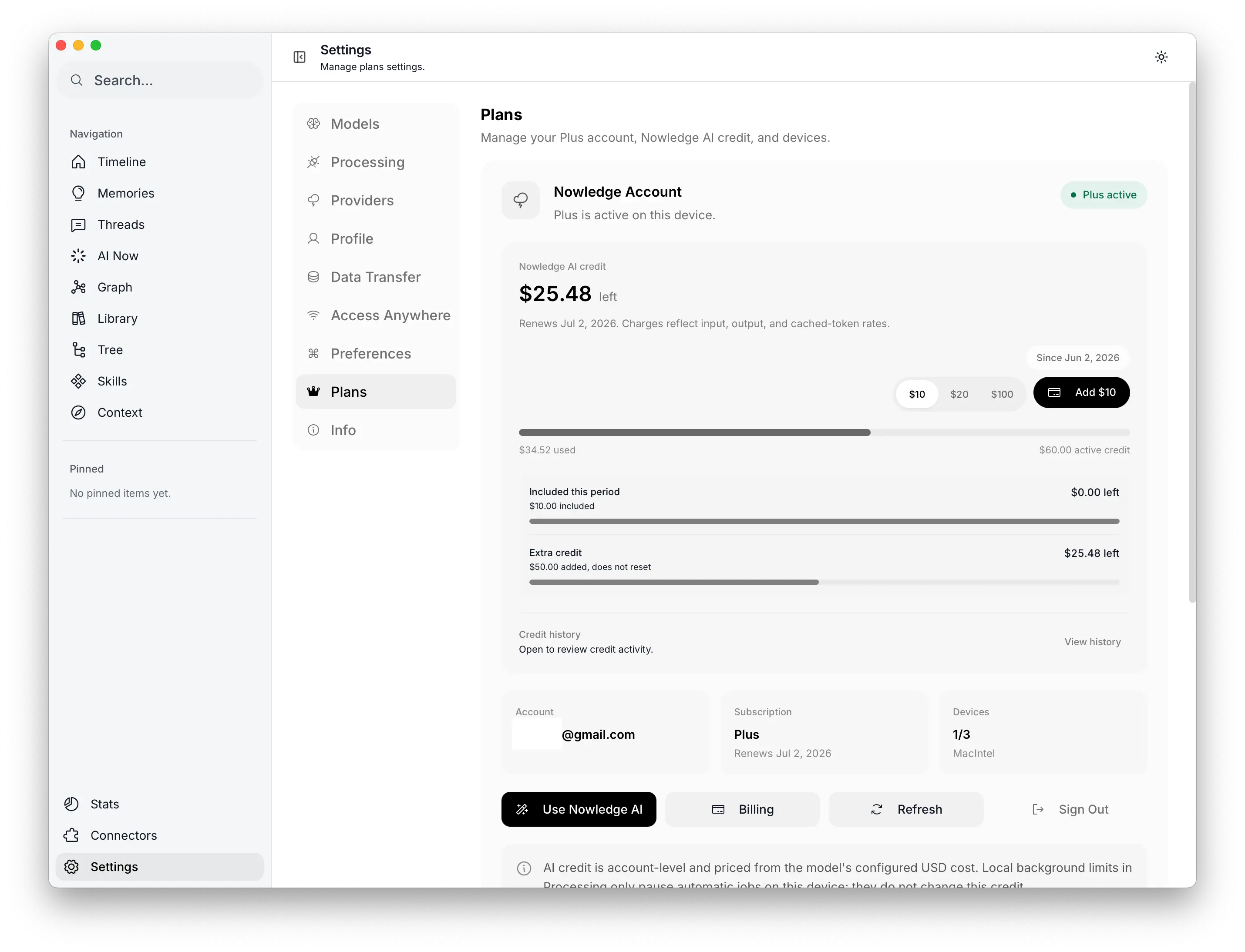 Nowledge Mem Plus plan settings
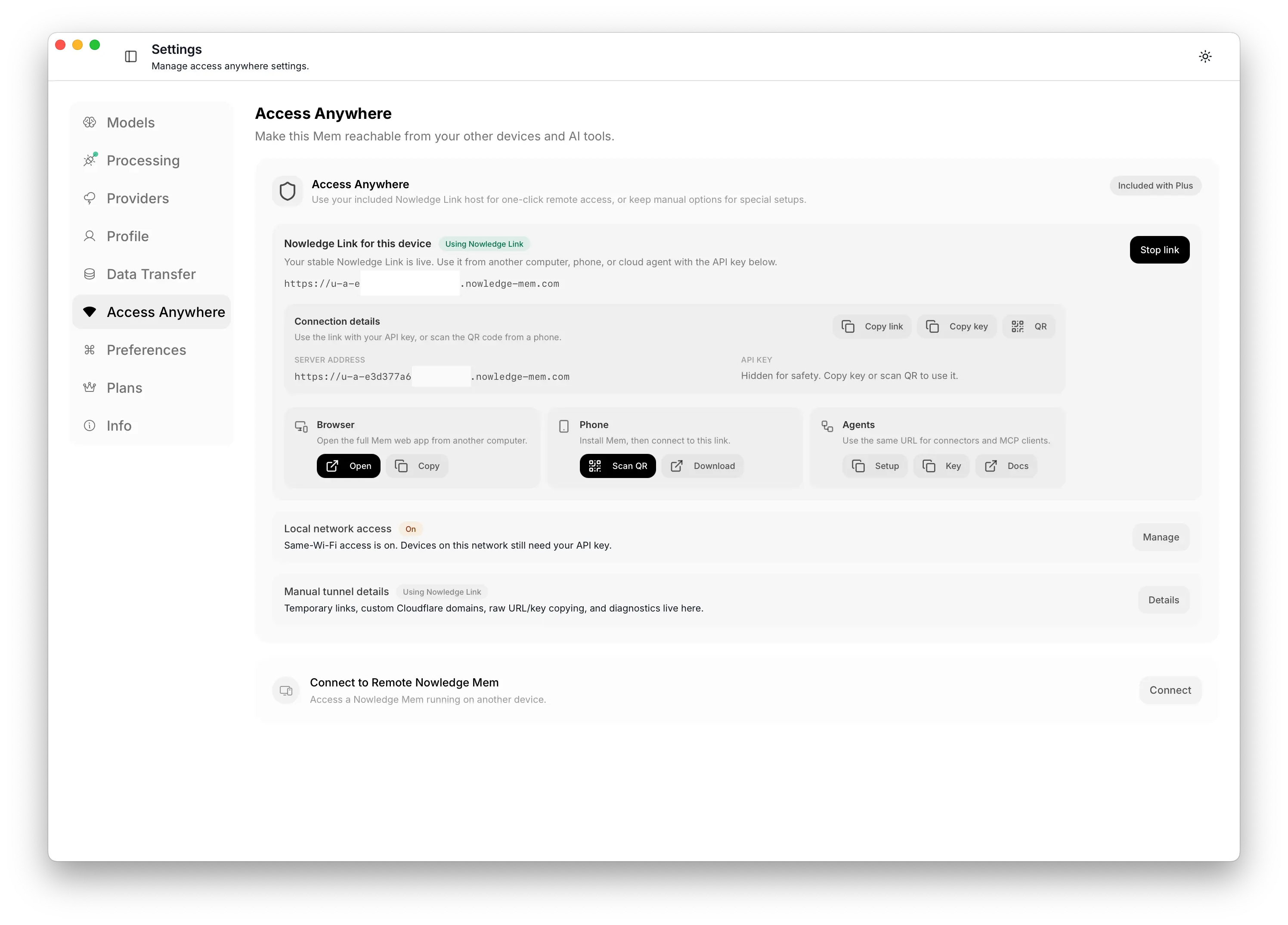 Nowledge Link included with Plus
Your graph stays on your machine in every plan; Plus never moves it. It saves you from bringing your own model keys or running your own tunnel; the memory graph still belongs to you. v0.9 also includes the account refresh, Nowledge AI retries, usage visibility, and subscriber alerts needed to make that plan reliable.
We’re keeping Lifetime Pro too. The early price was for private alpha supporters; it’s now at a public beta price that will rise as Mem gets closer to GA. The buy-once local option stays.
Under the hood: the memory itself got sharper
Two quieter changes make the graph more useful to every agent above.
Typed memories. Each memory can now say what kind of knowledge it is: fact, preference, decision, plan, procedure, learning, context, or event. These types change how Mem can use the memory later. A decision can supersede a plan, a learning can explain why an approach failed, and a procedure can become a Skill. The procedure path is the one to watch: before v0.9, reusable how-tos were often buried in generic memories, searchable but not reliably actionable. Existing graphs can improve these types without rebuilding the search index.
Memory links. You can now connect one memory to another inside a space, with a relation name you choose and a short reason. Version history still belongs to EVOLVES, and entity relationships still belong to the entity graph. Memory links add the semantic connection you want your own memory graph to carry. A space decides the lane of context. A Memory Link says why two memories in that lane should travel together: the pricing assumption behind a launch plan, the migration risk for an implementation, the concrete example that makes a rule usable. For an agent, that explicit human or agent-authored edge is stronger than a nearest-neighbor guess. It says: when you read this, bring that too, and know why.
Connected tools start by reading context
This release also changes how integrations use Mem. The old first move was Working Memory or search, useful but not the whole startup state. In v0.9, capable connectors read Context Bundle first, then fall back to Working Memory on older servers. The order is simple: read the startup context, understand identity and rules, search deeper when the task calls for it, then write durable decisions and procedures back. This matters most on servers and VPS installs. If Mem is running headless, the GUI can’t be the only control surface, so the same capabilities live in the API, CLI, MCP, and web client.
Try this first
Mem is open now, so the first step is simple: download it, connect one AI tool, save one real decision, then ask another tool to recall it.
If you already use Mem, open Context and see what your default agent receives before it starts. Create one agent profile for a real role, give it a space, and add one standing rule that should apply every time. Then open Skills, find one suggestion you actually recognize, and if it has a source and a specific rule, turn it on.
Mem began as memory inside one AI tool. v0.9 grows it into a larger layer: the way you work, the identity of each long-running agent, the rules they should follow, remote access, and built-in AI credit. And for the first time, anyone can use it.
For details, see the full changelog, Context docs, Memory Links docs, and pricing.