
For a while, Nowledge Mem has been able to capture useful work from ChatGPT.
With the browser extension, you could save a strong answer, back up a thread, or distill a decision while working on chatgpt.com. That made ChatGPT a good source for Mem.
Recall was still awkward. When you opened ChatGPT later and asked about an old project, it could not search your Mem directly. You either copied context by hand or switched to another agent that already had MCP access.
Nowledge Mem 0.8.1 changes that.
ChatGPT can now connect to your Mem through Remote MCP over OAuth. You create the connector from ChatGPT Web settings. After that, the same connector is available in ChatGPT Web and the ChatGPT desktop app.
Once connected, ChatGPT can search your memories, threads, Library context, and the knowledge graph through the same Mem server your other tools already use.
Why this matters
Mem is most useful with ChatGPT when it keeps work continuous.
You can now use both directions:
- Use the browser extension to save useful ChatGPT threads into Mem.
- Use ChatGPT Connectors to let ChatGPT Web or desktop search Mem when you need old context back.
That makes ChatGPT feel less like a separate app and more like another window into your knowledge.
Try prompts like:
Search my Mem for the database migration decision we made last month.
Or:
Look through my Mem and remind me why we chose the local-first sync model.
Or:
Find the notes from my previous research on LLM Wiki and help me continue from there.
The answer can now start from your actual saved work, not just the current chat.
What changed in 0.8.1
ChatGPT Connectors expect an OAuth-style remote MCP connection. A private nmem_ API key in a custom header is not enough for this kind of cloud client.
Mem now provides a narrow bridge for that:
- Mem exposes a public
/mcpendpoint through Access Anywhere. - ChatGPT opens an OAuth approval page.
- You approve the connection.
- ChatGPT keeps the connector and can call Mem later without you pasting keys around.
This is still your Mem. Your data remains on the Mem server you control. ChatGPT gets access only through the connector you approve.
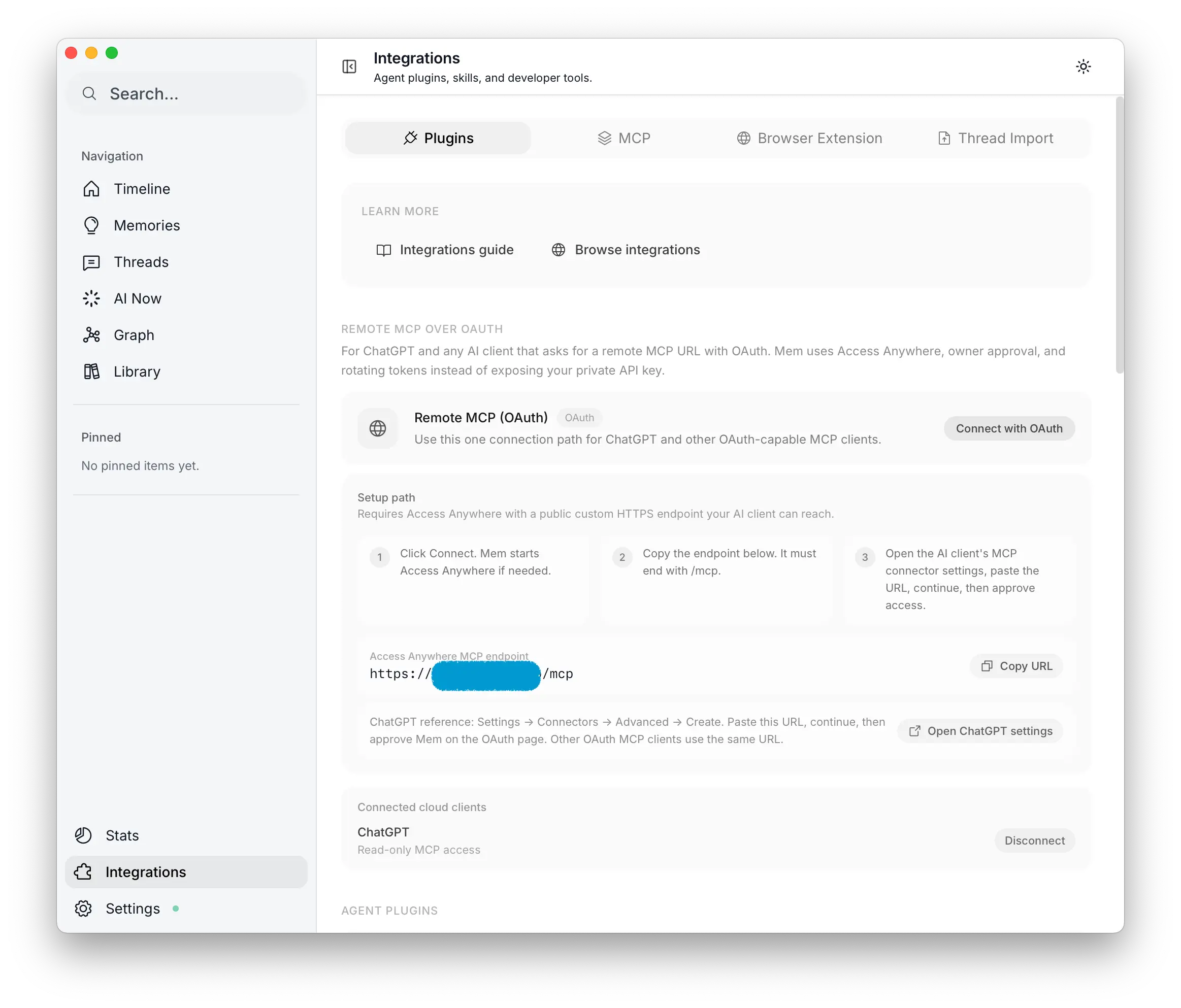 Start Remote MCP OAuth from Mem
The setup, in plain terms
You need a custom Access Anywhere endpoint first. ChatGPT is a cloud service, so it cannot reach localhost on your laptop or a private LAN address. It needs a public HTTPS URL that points back to your running Mem.
Once Access Anywhere is ready:
- Open Mem → Integrations → Plugins → Remote MCP over OAuth.
- Click Start setup.
- Copy the Access Anywhere MCP endpoint. It ends with
/mcp. - Open Create a ChatGPT connector.
- Paste the Mem
/mcpURL. - Approve Mem on the OAuth page.
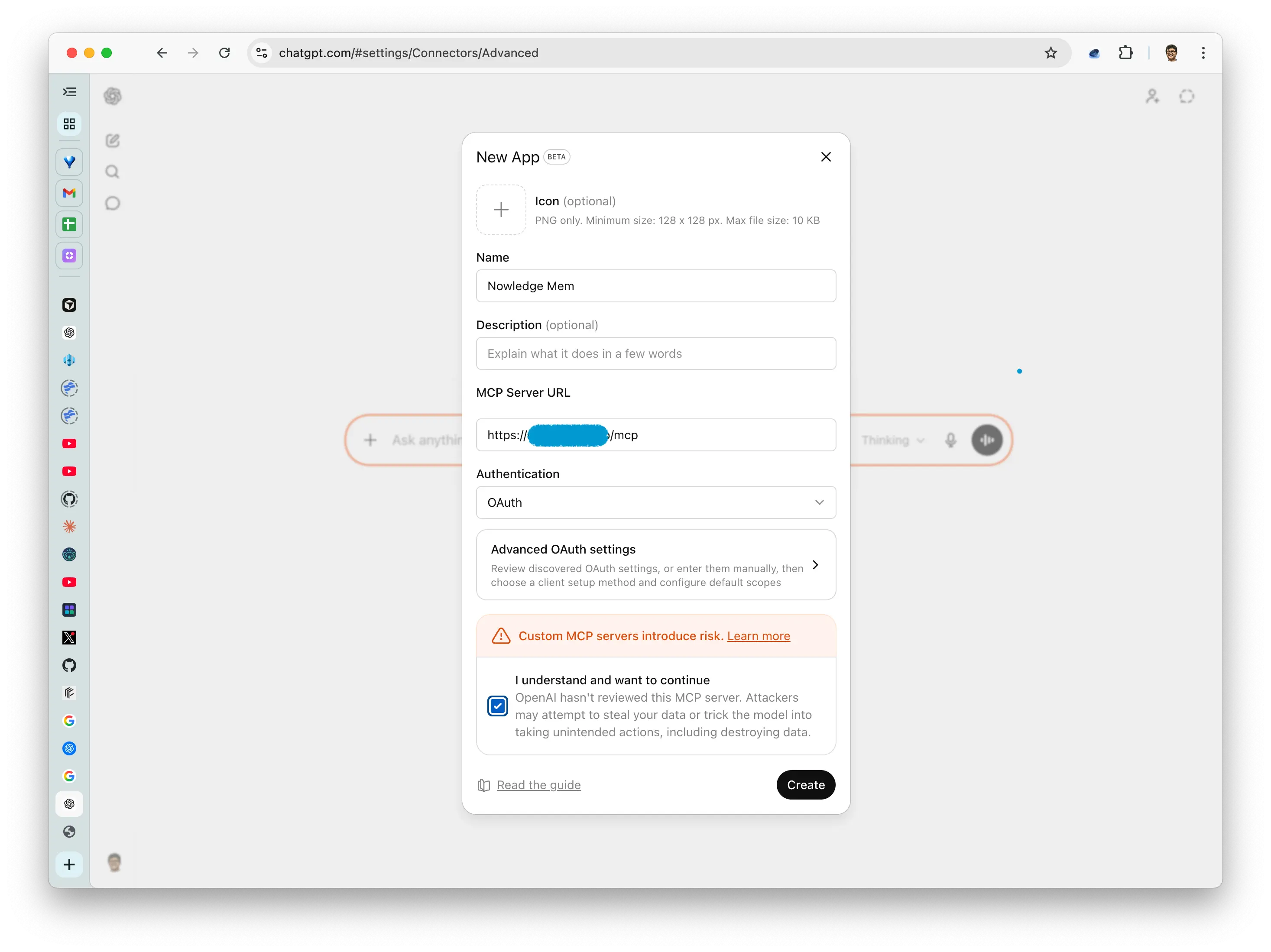 Paste the Mem MCP endpoint into ChatGPT
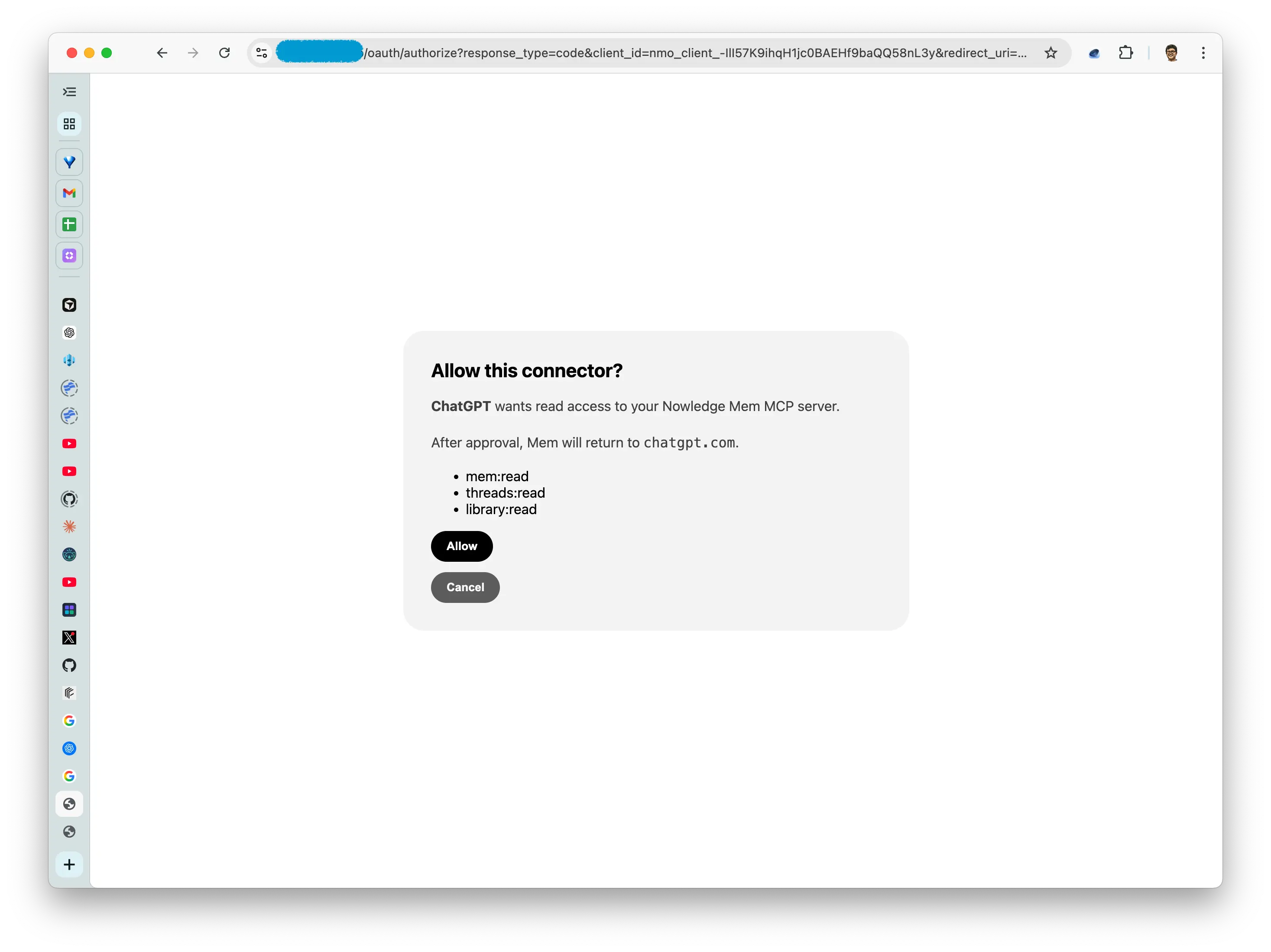 Approve Mem through OAuth
After that, ChatGPT can use Mem in a chat. In ChatGPT Web or the desktop app, mention @Nowledge Mem when you want it to search your Mem.
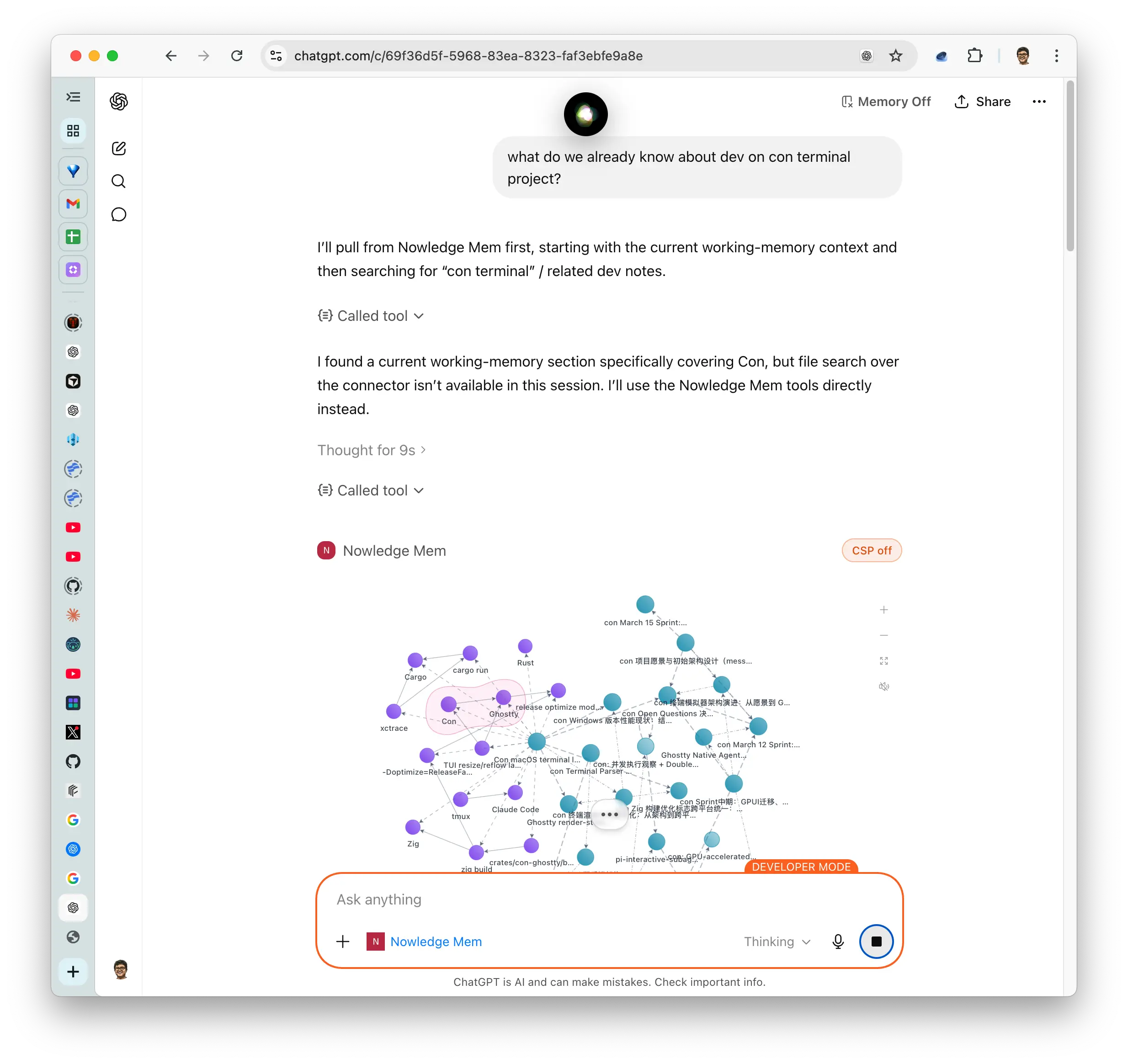 Use Mem from ChatGPT
Two paths, one memory
There are now two natural ways to use ChatGPT with Mem. They fit different moments.
Use the browser extension when you are inside ChatGPT and want to save something. It is best for capture: a decision, a useful explanation, a full thread backup, or a handoff summary.
Use Remote MCP over OAuth when you are inside ChatGPT Web or desktop and want it to read from Mem. It is best for recall: old project context, source notes, research trails, decisions, preferences, and anything that lives outside the current chat.
The important part is that both paths meet in the same place. ChatGPT is no longer only a source of memories. It can also become a reader of your memory.
A small example
Suppose you used ChatGPT last week to explore a product idea. The browser extension saved the useful parts into Mem. Since then, you also imported a PDF, saved a few decisions from Claude Code, and let Background Intelligence organize the topic.
Today you open ChatGPT and ask:
Search my Mem for what we already know about this product idea. Then help me draft the next experiment.
Mem gives ChatGPT the context it would otherwise miss: the prior thread, the decisions from your coding agent, the PDF notes, and the related memories.
That is the working model we wanted: one Mem that many AI tools can write to and read from, without forcing you to rebuild context in every app.
Try it
Update to Nowledge Mem 0.8.1, configure Access Anywhere with a public HTTPS endpoint, then follow the ChatGPT guide:
ChatGPT guide · Access Anywhere docs · Download Nowledge Mem