

过去一段时间,Nowledge Mem 已经能从 ChatGPT 里保存有用内容。
浏览器扩展可以在 chatgpt.com 页面旁边打开侧边栏,把一段好回答保存下来,把整条对话备份成 Thread,或者把一次讨论里的决策提炼成记忆。这样,ChatGPT 可以成为 Mem 的一个重要来源。
不顺手的地方在于找回上下文。下次你再打开 ChatGPT,问它一个旧项目的背景,它还是不能直接搜索你的 Mem。你只能手动复制上下文,或者换到已经接好 MCP 的其他 Agent。
Nowledge Mem 0.8.1 改变了这一点。
ChatGPT 现在可以通过 Remote MCP over OAuth 连接到你的 Mem。你需要先从 ChatGPT 网页设置创建 connector;添加完成后,同一个 connector 也能在 ChatGPT 网页版和桌面版使用。
连接之后,它可以搜索你的记忆、Threads、资料库上下文和知识图谱,读到的就是其他 AI 工具共用的同一个 Mem。
这件事为什么重要
Mem 和 ChatGPT 最有价值的关系,是让工作能接得上。
现在你可以从两个方向使用它:
- 用浏览器扩展,把 ChatGPT 里值得留下来的内容保存进 Mem。
- 用 ChatGPT Connectors,让 ChatGPT 网页版或桌面版在需要旧上下文时搜索 Mem。
这样 ChatGPT 就不再像一个孤立的应用,而更像是你知识系统里的另一个入口。
你可以问它:
Search my Mem for the database migration decision we made last month.
也可以问:
Look through my Mem and remind me why we chose the local-first sync model.
或者:
Find the notes from my previous research on LLM Wiki and help me continue from there.
这一次,回答可以从你真实保存过的工作开始,而不是只看当前这一条对话。
0.8.1 里新增了什么
ChatGPT Connectors 需要 OAuth 形式的远程 MCP 连接。对这种云端客户端来说,在请求头里放一个私有 nmem_ API key 并不合适,也不符合它的连接方式。
所以 Mem 现在提供了一条很轻的连接方式:
- Mem 通过 Access Anywhere 暴露一个公开的
/mcpendpoint。 - ChatGPT 打开 OAuth 授权页面。
- 你确认授权。
- ChatGPT 保存这个 connector,以后就可以继续调用 Mem,不需要你反复复制 key。
它连接的仍然是你的 Mem。数据还在你控制的 Mem 服务上。ChatGPT 只会通过你批准的 connector 访问它。
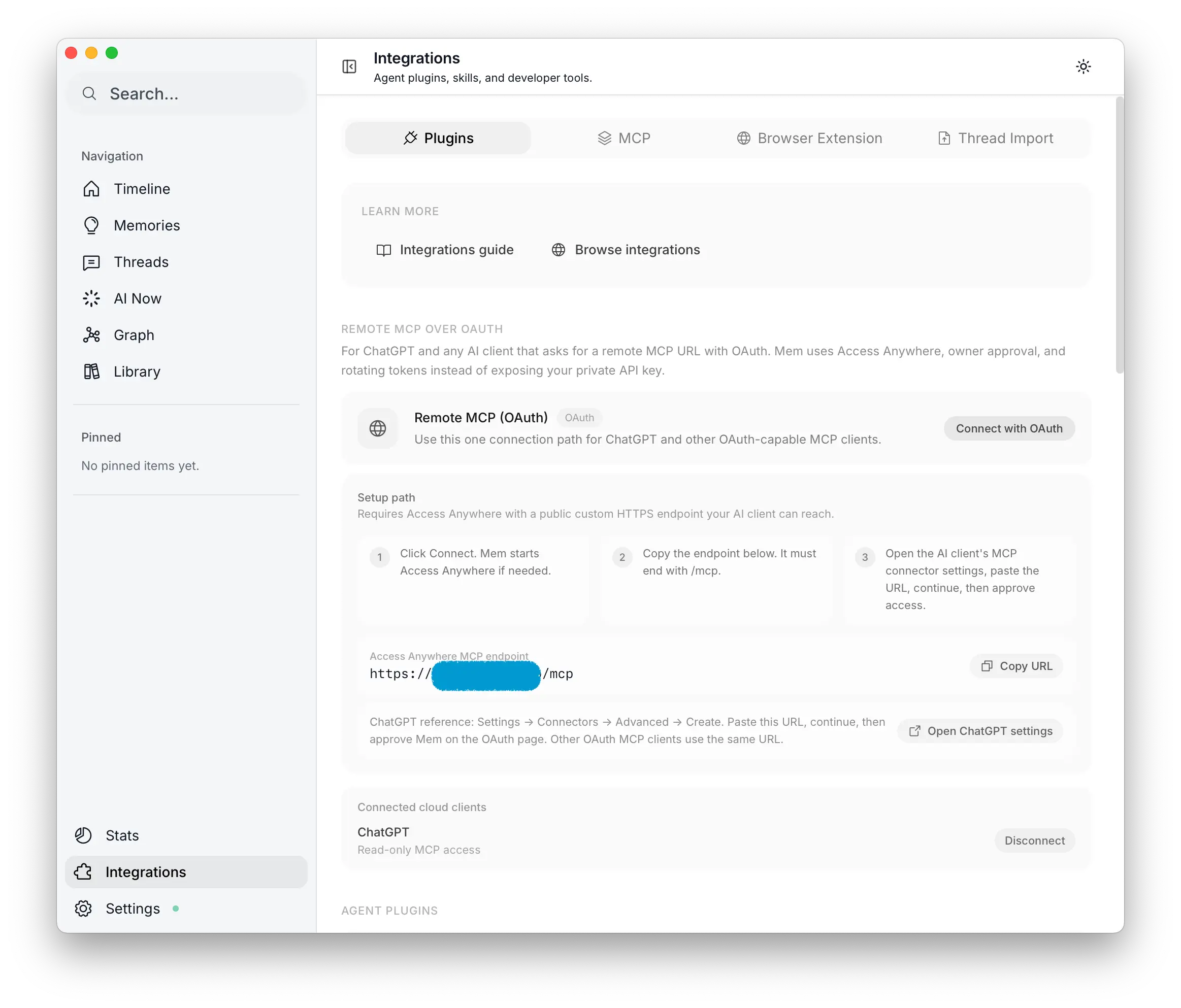 在 Mem 中启动 Remote MCP OAuth
怎么接上
你需要先配置一个自定义 Access Anywhere endpoint。ChatGPT 是云端服务,不能访问你电脑上的 localhost,也不能访问只有你内网能打开的地址。它需要一个公开 HTTPS URL,指回你正在运行的 Mem。
Access Anywhere 准备好之后:
- 打开 Mem 里的集成页面,找到 Plugins 里的 Remote MCP over OAuth。
- 点击开始设置。
- 复制 Access Anywhere MCP endpoint,它应该以
/mcp结尾。 - 打开 创建 ChatGPT 连接器。
- 把 Mem 的
/mcpURL 粘贴进去。 - 在 OAuth 页面授权 Mem。
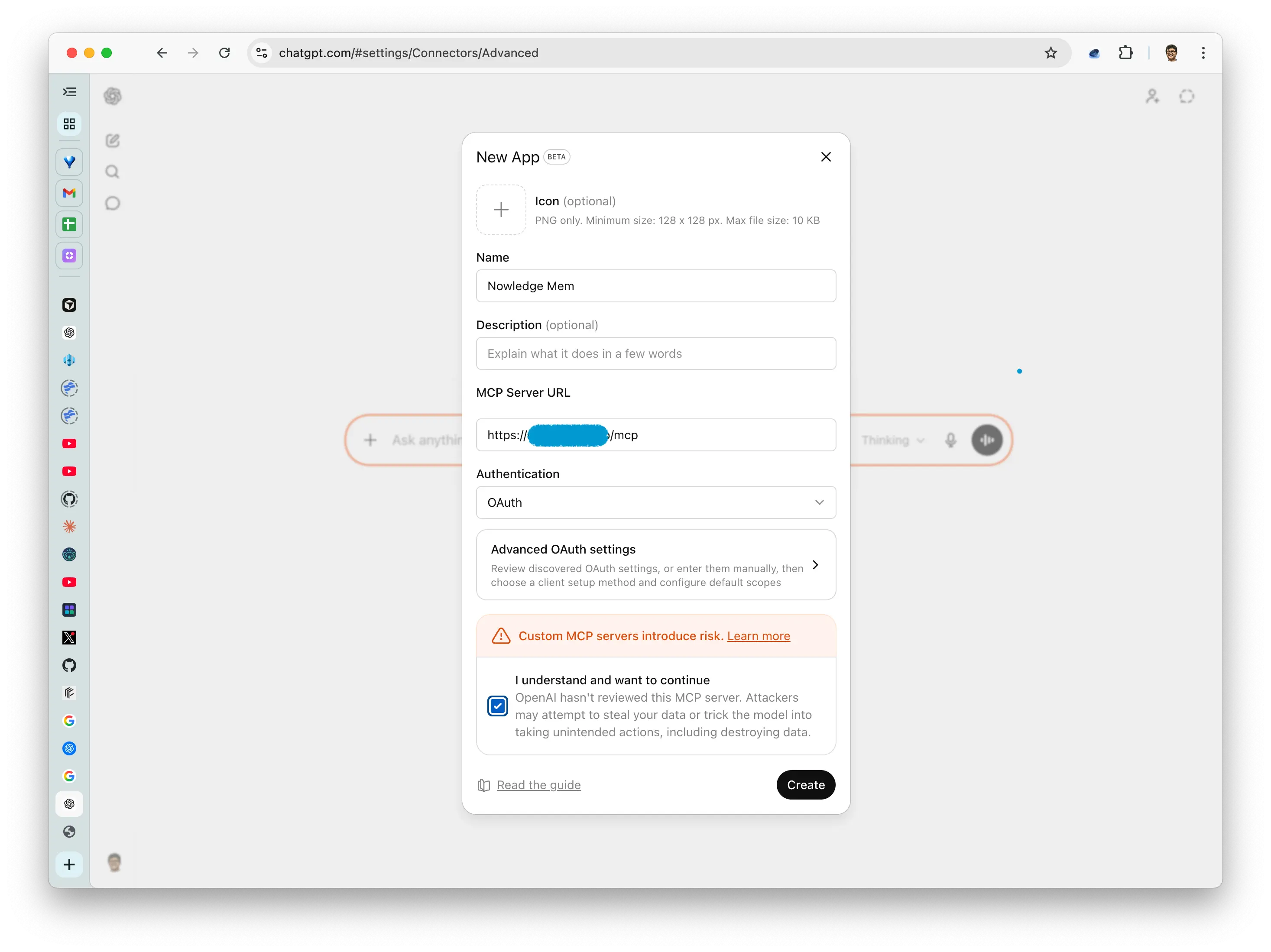 把 Mem MCP endpoint 粘贴到 ChatGPT
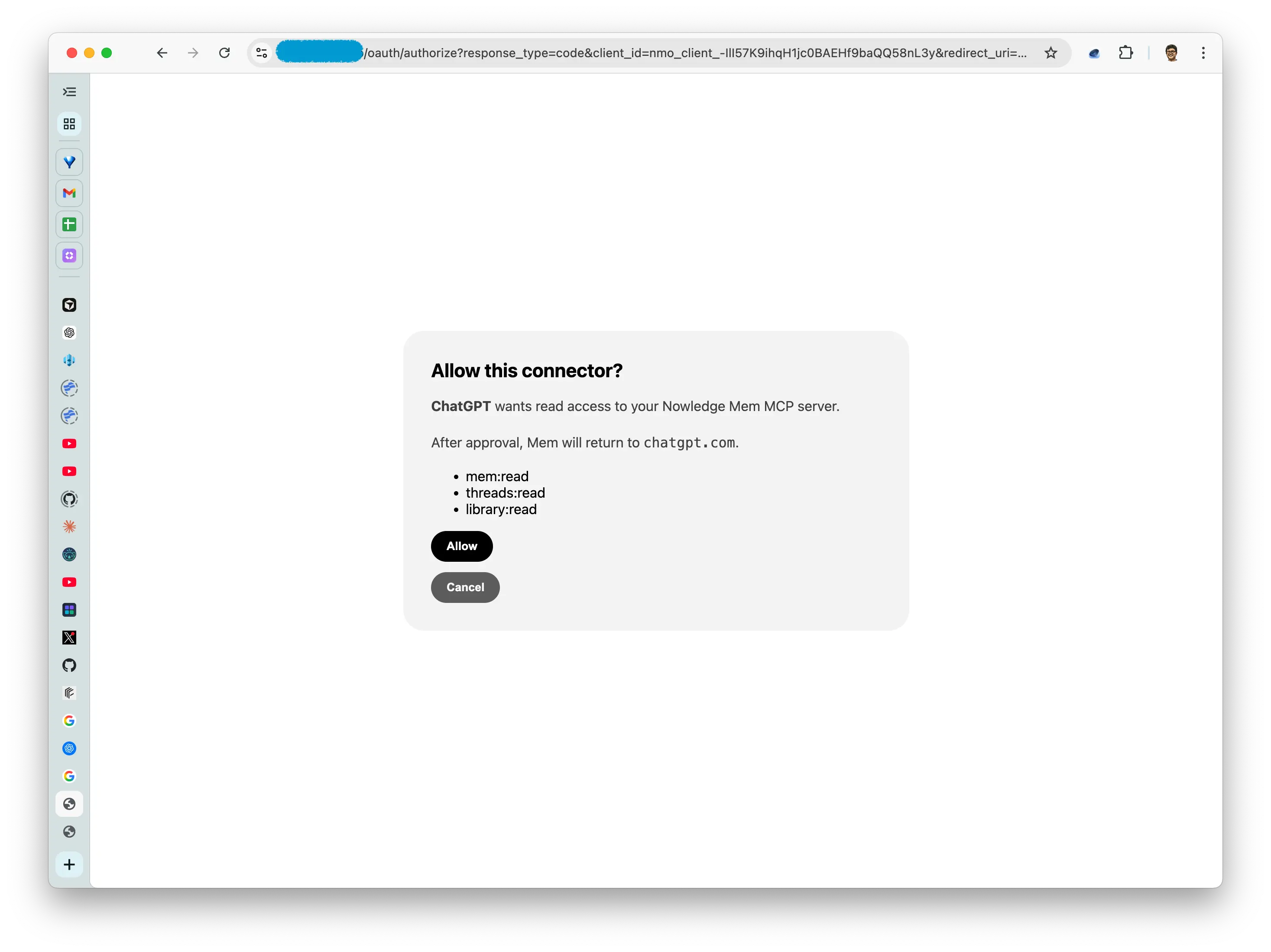 通过 OAuth 授权 Mem
完成之后,ChatGPT 就可以在对话中使用 Mem。在 ChatGPT 网页版或桌面版里输入 @Nowledge Mem,就能让它搜索你的 Mem。
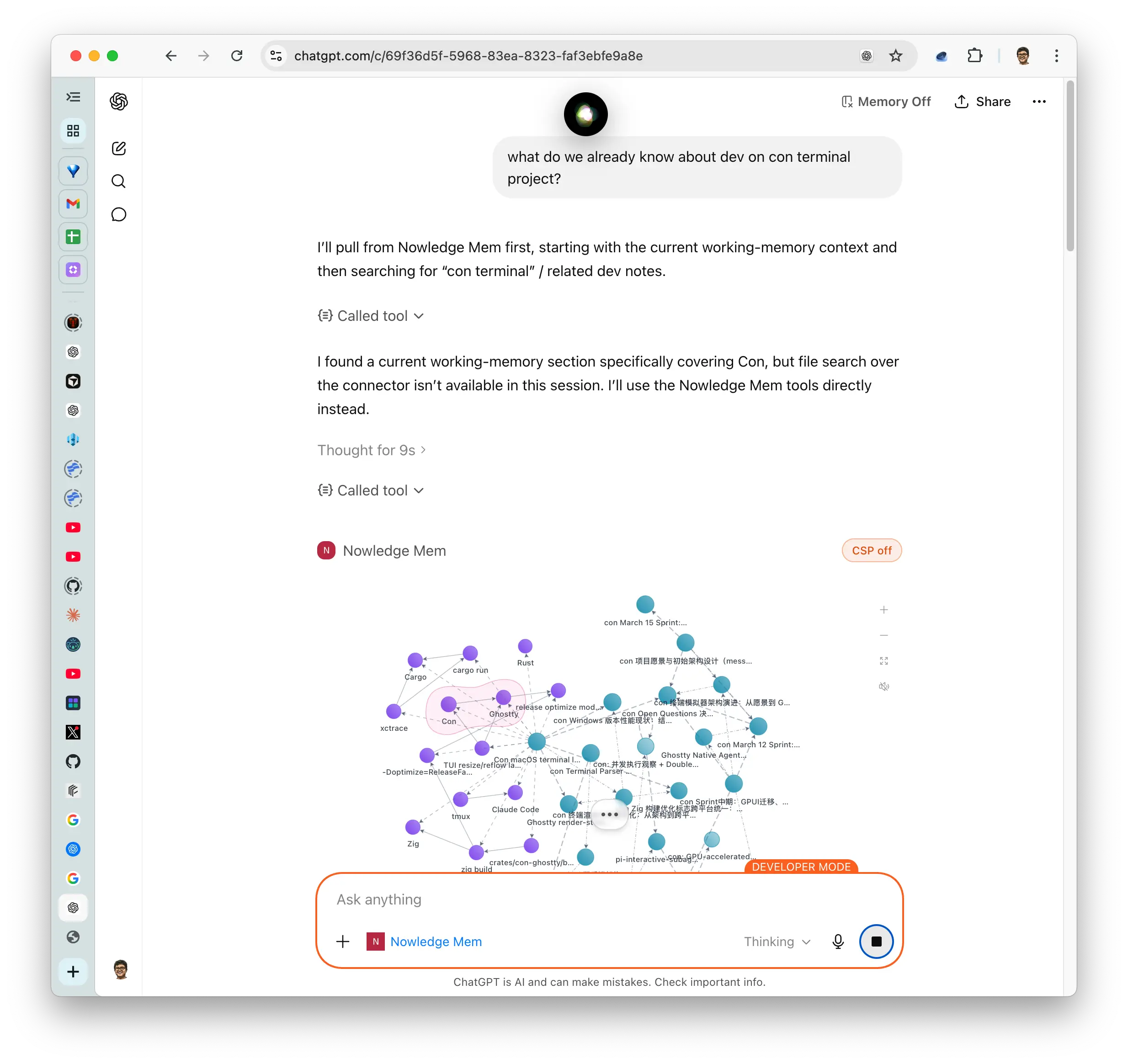 在 ChatGPT 中使用 Mem
两条路,共用同一个 Mem
现在 ChatGPT 和 Mem 有两条很自然的连接方式,适合不同场景。
当你正在 ChatGPT 里工作,想把内容留下来,用浏览器扩展。它适合保存一条决策、一段有用解释、一整条对话备份,或者一个交接摘要。
当你正在 ChatGPT 网页版或桌面版里提问,希望它读取旧上下文,用 Remote MCP over OAuth。它适合找回项目背景、资料笔记、研究路径、决策、偏好,以及任何不在当前对话里的知识。
关键是,这两条路最后都回到同一个 Mem。ChatGPT 不再只是记忆的来源,它也可以成为读取记忆的入口。
一个很小的例子
假设你上周用 ChatGPT 探索过一个产品想法。浏览器扩展把有价值的部分保存进了 Mem。之后你又导入了一份 PDF,从 Claude Code 里保存了几条决策,还让 Background Intelligence 整理了相关主题。
今天你重新打开 ChatGPT,问:
Search my Mem for what we already know about this product idea. Then help me draft the next experiment.
Mem 会把 ChatGPT 原本看不到的上下文交给它:之前那条对话、编程 Agent 里留下的决策、PDF 笔记,以及相关记忆。
这才是更顺手的用法:一个 Mem,很多 AI 工具。每个工具都能把知识写进去,也能在需要的时候读出来,不必在每个应用里重新拼上下文。
试试看
升级到 Nowledge Mem 0.8.1,配置一个公开 HTTPS 的 Access Anywhere endpoint,然后按 ChatGPT 指南连接: